Licensing
Micromine's new licensing system provides the ability to temporarily borrow a network licence without a security key (dongle) or a persistent network connection. Administrators can set up licences with different module combinations, and new purchasing and leasing options are available.
Once the application is loaded, you can view your current licensing information in a new-look Licence Manager (Tools | Licensing | Licence Manager). Licences are managed by the Micromine Licensing Service. However, if you are an administrator, or you have been instructed to do so by Micromine Licensing, you can create or update the licence configurations at your workplace.
A licence configuration is a set of features that can be tied to a licence. The specification of different licence configurations means that different users may be allocated only the modules they need.
The default (current) licence configuration is indicated by a check box which is selected to the left of the configuration name. To make a configuration the default configuration, select a different check box. Alternatively, select Tools | Licensing | Switch Active Licence.
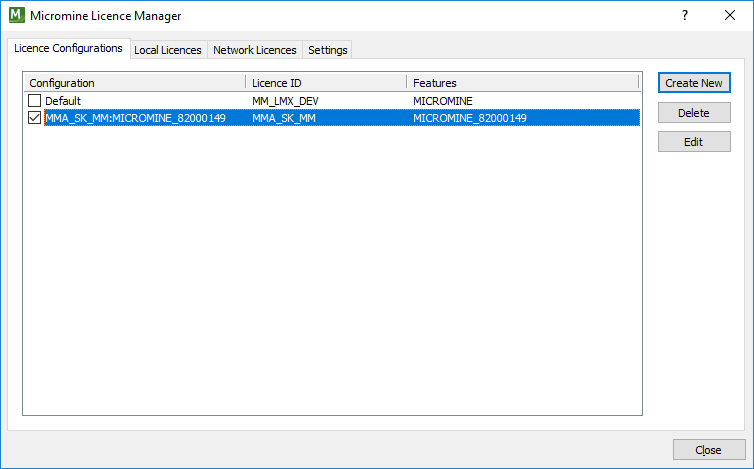
To create a new licence configuration, see: Create New Configuration
Local Licences
Use the Local Licences tab of the Licence Manager to manage the local licences that have been registered for use at your workplace. When you select a licence in the grid, the details of the licence are shown:
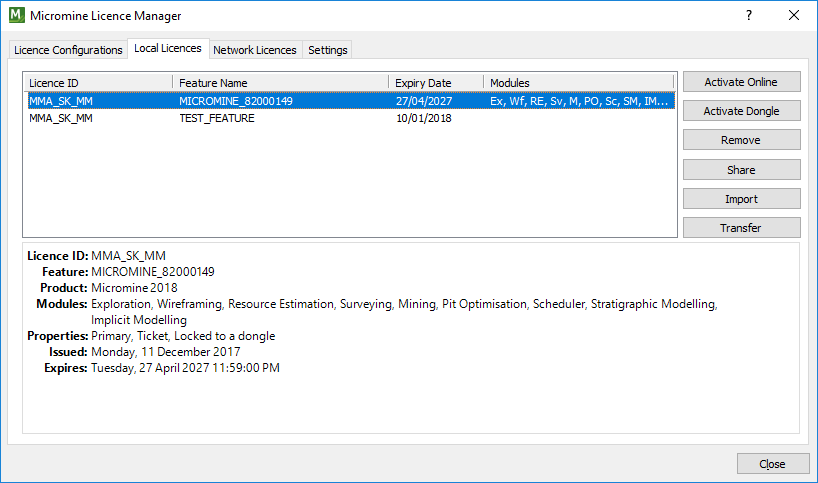
Note: If you are installing Micromine 18.0 for the first time, or you have upgraded an existing licence, or have been issued with an additional licence, you will need to activate your local licence, using either the node-locked activation code or the USB security key (dongle) supplied to you by Micromine Licensing.
To activate your local licence, see: Local Licences
Network Licences
Provided you are currently connected to a network licence server, network licences and features and their availability are shown on the Network Licences tab of the Licence Manager.
Click on a network licence to view the details of that licence.
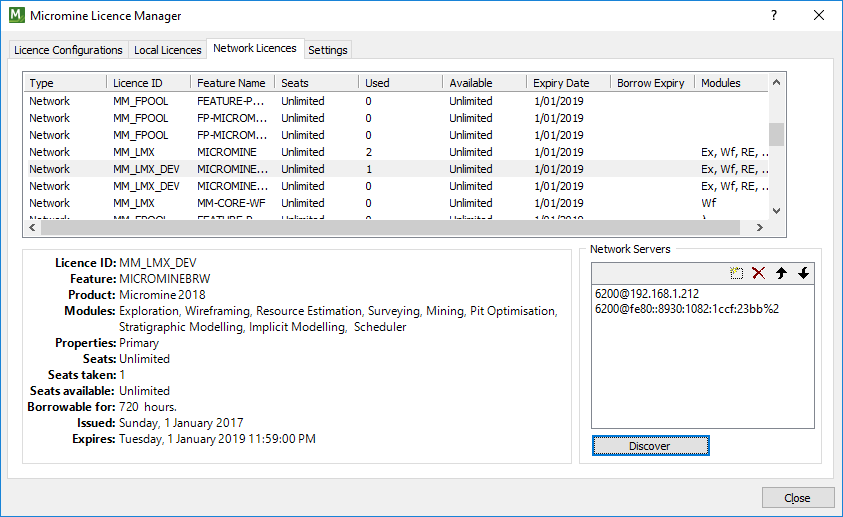
As mentioned in the introduction, Micromine's new network licence server allows you to temporarily borrow a network licence without a security key (dongle) or a persistent network connection.
To borrow a network licence, see: Borrow Licence