Wireframes
This release sees several major improvements to the way in which wireframes and their attributes are reported and displayed.
Draw Styles
Improvements have been made to the draw styles used to render wireframes in Vizex. These changes mostly affect the 2D Slice and Silhouette display modes:
- Hatch pattern borders support more line types and line thicknesses.
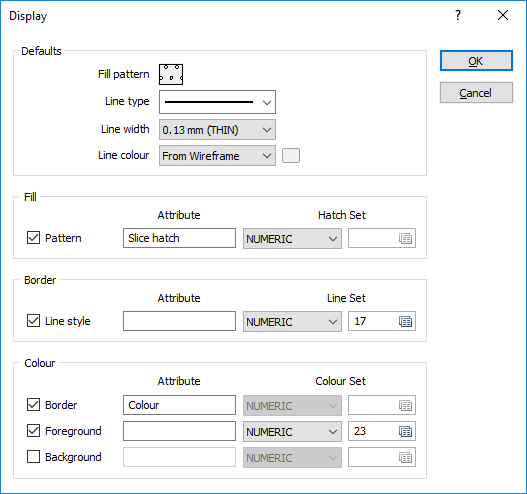
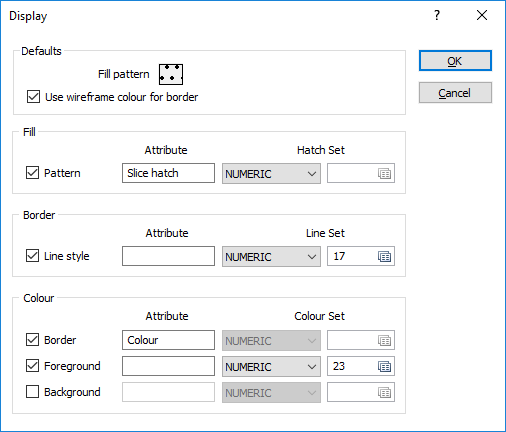
- The Display options for the Vizex wireframe object are significantly more powerful
- 2D Slice and Silhouette hatch patterns can be saved to the wireframe itself
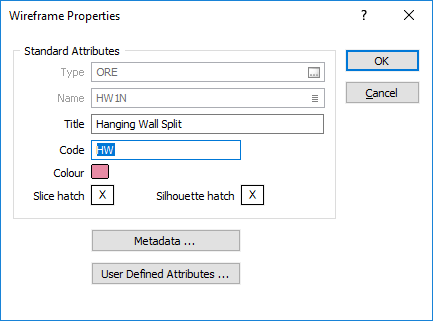
- Wireframe properties now display and edit 2D Slice and Silhouette hatch patterns
- There is a new function to write 2D Slice and Silhouette hatch information to wireframes (Wireframe | Manage | Change Hatch)
- The 2D Slice advanced options sub-form allows any hatch component to be dependent on an attribute of the wireframe.
-
The Silhouette advanced options sub-form allows any hatch component to be dependent on an attribute of the wireframe.
Attributes
The wireframe attributes that are displayed and reported across various functions, and in the property window, have been enhanced:
- You can now view wireframe attributes per-point and per-triangle.
- A cumulative volume is shown when multiple wireframes are selected. Note that it is only possible to show a cumulative volume if all of the selected wireframes have a volume.
- Average vertical thickness and Plan Silhouette Area report options are now available in Wireframe | Report | Properties.
- The display properties of a wireframe now include 2D Slice and Silhouettehatch patterns, and label attributes (Label Position and Label Offset).
- In the Wireframe Manager you can now select an option to show a list of common attributes that can be used as the basis of a search, or a sort, and be included in reports.
-
When you use the Interactive Wireframe Silhouette tool, the attributes of the input wireframes are now written to the output file.
Sets
In Wireframe | Manage | Sets a typical set definition is to select a Type, select by Name, and then have * as the Identifier. But what if you want to control the draw order of the wireframes in the set defined by the wildcard definition, or select some but not all of the wireframes in that set?
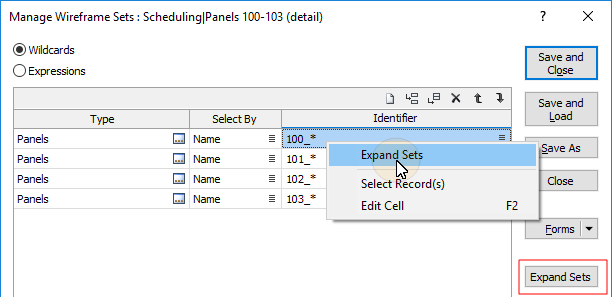
You can now select an option to expand the set to show a list of wireframes:
- To expand the wireframe set that is returned by a single wildcard definition, right-click in the Identifier cell and select Expand Sets.
- To expand sets for ALL wildcard definitions in the grid, click the Expand Sets button to the right of the grid.
Sort Wireframe Set
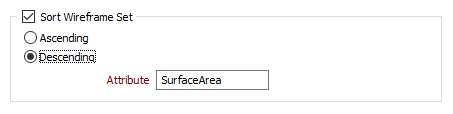
When you load a wireframe set in Vizex, you can now select an option to sort the wireframes in the set. A sort can be defined in ascending or descending order based on the values of a chosen sort attribute.
The sort order will determine the order in which the wireframes are loaded in Vizex.
Save Set As Single
Output options for the Wireframe | Utilities | Save Set As Single function have been improved. You can now click on an Attributes button to edit the standard attributes of the wireframe and add one or more user-defined attributes. You can also double-click to select a default Colour for the wireframe, and Auto load the generated wireframe in Vizex
Manage Sets
The layout of the Wireframe | Manage | Sets form has been improved to allow wireframe sets to be simultaneously saved and loaded.
Colouring Wireframe Sets
Performance has been improved when changing the colour of the wireframes in a series of different wireframe sets.