Firing Sequence Parameters

|
To manually create a firing sequence, click the Create Firing Sequence button on the Blast Design toolbar. |
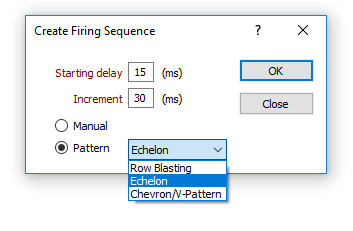
Starting Delay
Enter a Starting delay value.
Increment
Enter a firing delay Increment value for successive holes.
Method
Choose how the firing sequence will be defined with the mouse:
Manual
Select this option to use the mouse to select holes freely, in the sequence they will be fired.
Pattern
Select this option to use one of the following patterns to determine the firing sequence.
| Row Blasting | Select 2 holes to identify the first row to be fired. A row-by-row firing sequence is then generated from that row. |
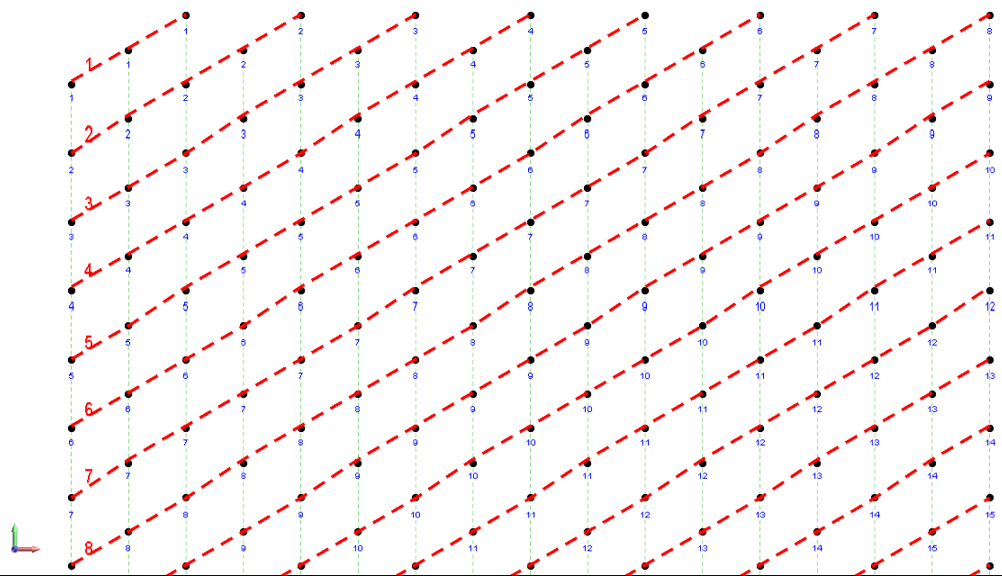
| Echelon | Select 2 holes adjacent to the free face of the pattern to generate an echelon firing sequence where the row closest to the free face is fired first, followed by the row behind it and so on. |
|
|
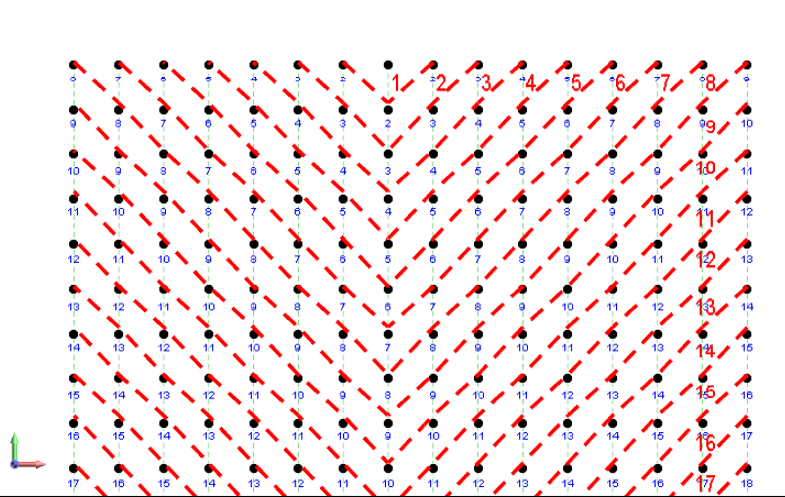
| Chevron | Select 3 holes to define a chevron or v-like pattern that will be replicated to define the firing sequence. |
|
|
Note: You should ensure that the Display firing sequence option is enabled as part of your display options. See: Firing Sequence
 SEE ALSO