Restrict with Wireframes
Select the Restrict with Wireframes option to generate and to code a blank model within one closed wireframe model or a set of wireframe solids. Alternatively, this option can be used to code and/or restrict a blank model above and/or below a DTM. If a DTM is used, no blocks will be generated outside of the DTM. If solid wireframes are used, no blocks will be generated outside of the wireframe models.
When a parent block is intersected by a wireframe surface, it will be split into a maximum specified number of sub-blocks. All sub-blocks which occur outside of the closed wirefame surface will not be written to the output file. The function works by determining if blocks occur within the wireframe volumes. If so, it writes the wireframe attributes you have nominated to the records and fields for those blocks.
Wireframe
Specify a wireframe, or a set of wireframes, that will be used to constrain the blank block model.
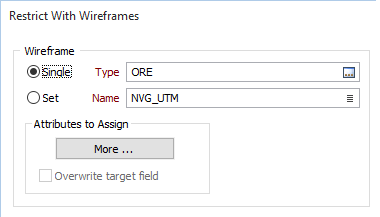
Attributes To Assign
Click the Attributes To Assign button to assign up to ten wireframe attributes to the fields in the associated data file. To do this you must map the wireframe attributes to the names of the fields in the file. In each row of the table enter or select (F3) an attribute name and the field to which it will be assigned.
New fields to which wireframe attributes are assigned are created according to the values being assigned. If all values are numbers, the field in the block model file will be created with a Numeric type. Otherwise, the field type will be Character. Fields are created wide enough to accommodate the longest value.
Depending on the size of the blocks in the block model and the wireframes they intersect, you may want to assign attributes to blocks that are only partly within a wireframe. To do this, select Attributes assigned for partial blocks. A value will still be written to the block factor field.
You can also enter a Minimum value for the block factor. For example, you may only when to assign values when at least 20% of the block is inside the wireframe.
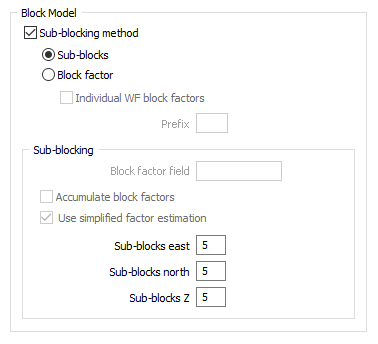
Block Model
Sub-blocking
Click on the check box to select a sub-blocking method. The blocks can be decomposed into ten sub-blocks in each direction.