In a String file, one or two 'stringing' variable fields (Join and String) are used to determine which points form a string. A String file without a stringing variable field is treated as one long string with all points joined. The actual field names can be anything at all (they will be entered as the relevant field names in the string function dialog boxes).
The following is a simplified example of part of a string file containing Easting, Northing and Join fields. Points with the same Join value make up a string.
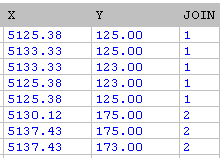
The first five points form one string and the next three points form another.
If the String field is used as well, both the String and Join values must be the same to cause adjacent points to be joined. This gives added flexibility. In the following very simple example, Feature can be assigned as the String field and FNO (feature number) as the Join field. FNO can then be used to define separate strings that have the same Feature name.
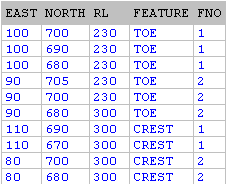
The above would produce something like the following:
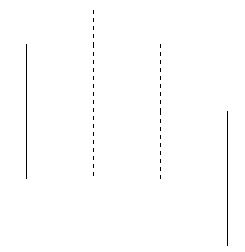
Without the Join field, the strings would look like this:
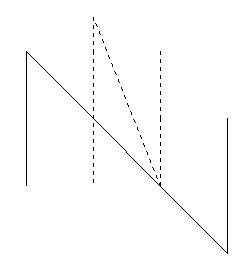
Two special features of the String and Join fields can be used:
- In the String field, a definable 'wildcode' value forces a connection from the previous point to the next point regardless of the String value in those points.
- In the Join field, inclusion of a tilde (~) anywhere in the value forces a break in the string so that the point will never be joined to the previous string.
A String file may contain any data that defines points, such as Eastings, Northings and RLs.
 See Also