Backup and Restore
Backups should be made on a regular basis. This will enable you to restore your work in the event of major data loss. You should also make backups before before running any GM upgrades.
- BACKUP YOUR WORKING DATABASE - we recommend that you make regular backups of your entire GM working database (*.sdf) by selecting File | Backup. This will back up all the profiles and data that are currently in GM. It’s a good idea to copy the resulting *.bak to a USB. This may be used to restore your work in the event of a major data loss.
- RESTORE YOUR WORKING DATABASE – Note that restoring a *.bak will permanently restore all profiles and data to the state they were in at the time of the backup. If in doubt export your profiles as *.gmp files with data before carrying-out a restore. To restore a backup, Select File | Restore from the main menu. Then browse to the *.bak that you wish to restore.
- BACKUP YOUR PROFILES – To back up your profiles (*.gmp) click on the Profile Editor icon:
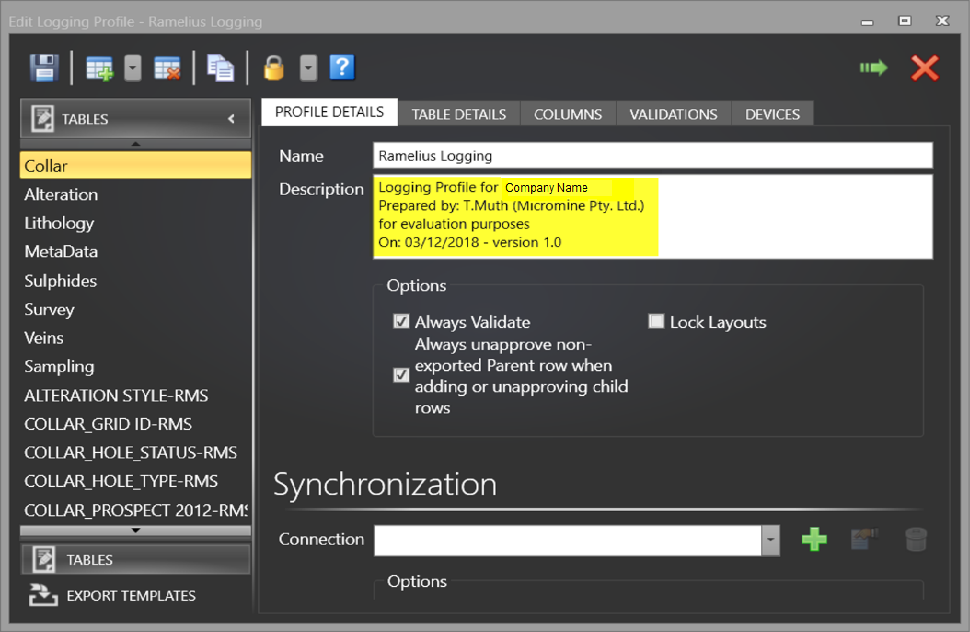
- VERSIONING PROFILES – it’s a good idea to add a meaningful description to your Profile Details. These details should be updated whenever edits are made to the profile. This will help you keep track of whether you are using the most recent version of the profile.

Then click on the desired profile name and click Save To File:

The resulting *.gmp may be imported back into GM if you need to restore it or if you want to transfer it to another machine.