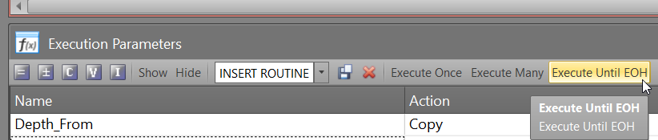
Setup Execution Parameters (XPARAMS)
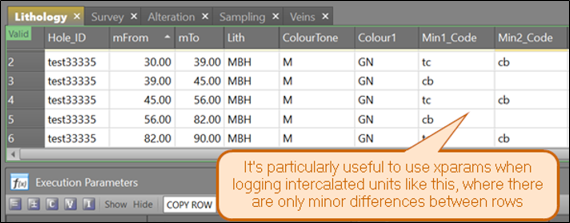
- Note that when logging lithology it is handy to use an xparam that inserts a new row with values replicated from the previous row. This is particularly useful when logging rock units in which there are only minor differences between intervals. For example, you may be logging a thick interval of basalt in which talc-carbonate-alteration phases in and out like so:
- We recommend setting up the following lithology and sampling xparams:
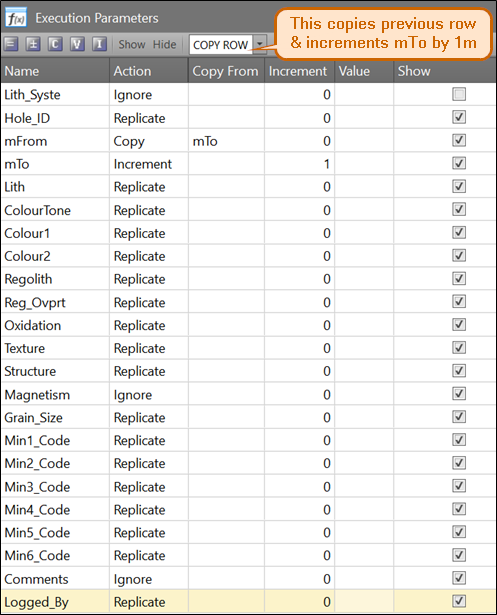
COPY ROW
It will increment the mTo by 1m and will replicate most values/codes from the row above:
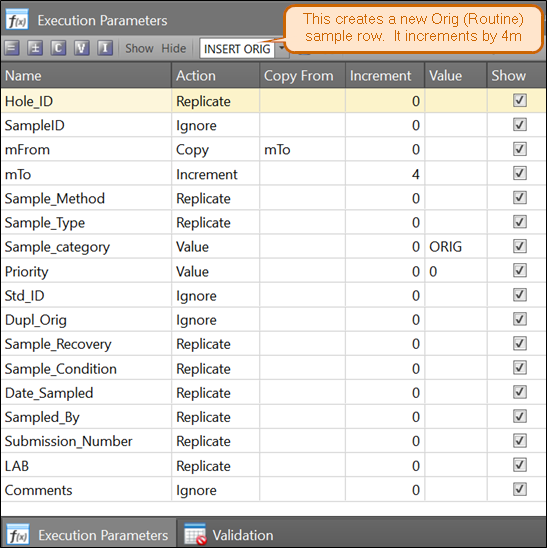
INSERT ORIG
Will create a new Original/Routine sample. Most fields will be replicated down from the previous record:
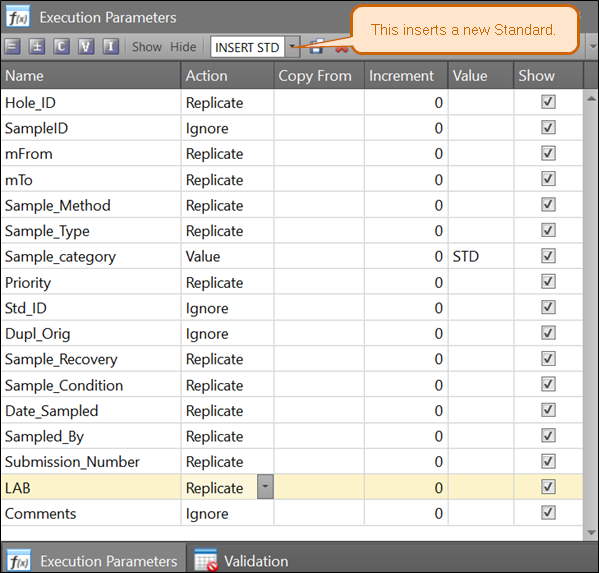
INSERT STD
Creates a new Standard row. Note that when you use this, mFrom & mTo will be copied from the previous record. This enables replication to continue through the samples further down. Within the Std record, these fields are arbitrary and will be ignored upon import.
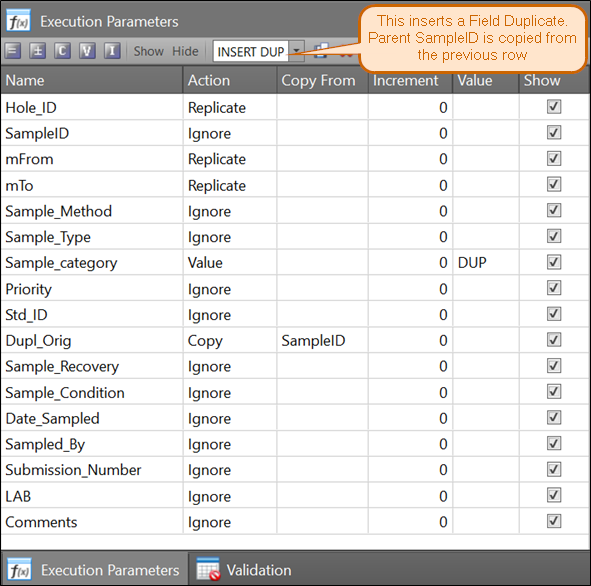
INSERT DUP
Creates a new Field Duplicate row. It sources the Parent_SampleID from the previous row.