Managing New Lookups
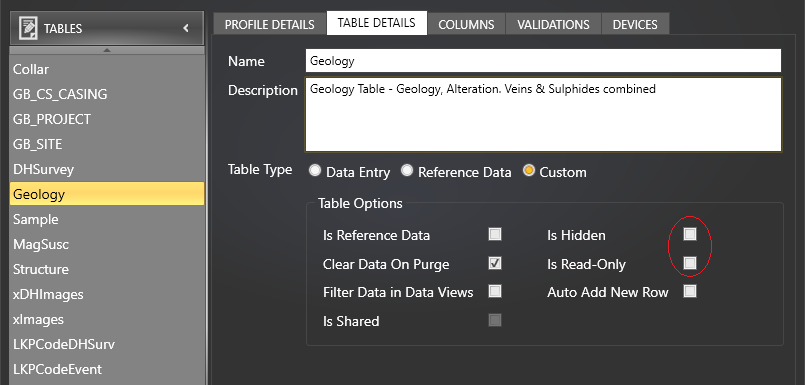
Lookup tables are usually configured to be hidden and read-only, to prevent tampering.
- To make the lookup table editable and visible, go into the Profile Editor:
- Save the profile and go back to the Data Entry View by clicking the Return arrow:
- That lookup table should now be visible in the Data Views side bar. Open the desired lookup table. Add a new row:
- After you have added the new code, go back into the Profile Editor and make the lookup Hidden and Read-Only again.
- Be sure to let the DBA know that a new lookup has been added so that it can be added to the master database and other profiles.


Then select the desired lookup table and click on Table Details. Make sure Is Hidden and Is Read-Only are unticked:


Then type in the new lookup code: