Licence Configurations
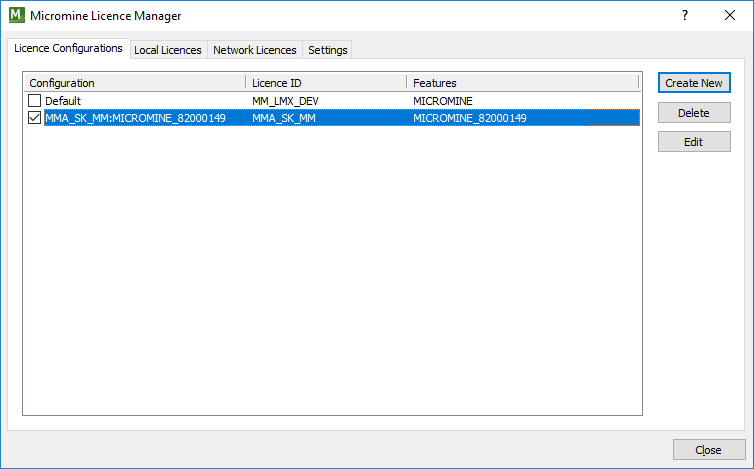
Use the Licence Configurations tab of the Micromine Licence Manager to manage your licence configurations. A licence configuration is a set of features that can be tied to a licence. The configuration determines which features are enabled for which licences.
Default Configuration
The default (current) licence configuration is indicated by a check box which is selected to the left of the configuration name. To make a configuration the default configuration, select a different check box. Alternatively, select Tools | Licensing | Switch Active Licence. See: Switch Active Licence
Create New
Click this button to create a new configuration. See: Create New Configuration.
Delete
To delete the selected configuration(s) click Delete. You will be prompted to confirm or cancel the deletion.
Edit
Click this button to edit the selected configuration. See: Edit Configuration.