Licence Manager
You cannot run Geobank Mobile without a valid licence. If a licence is not detected the application will fail to load and you will be given the opportunity to either activate a new licence or locate a licence on your network.
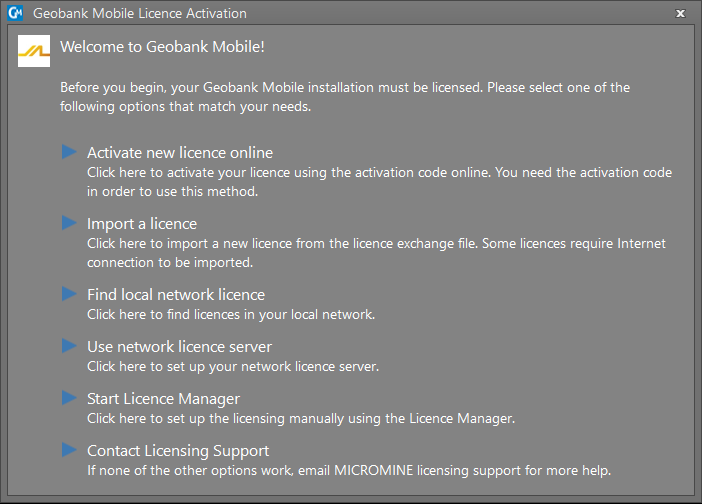
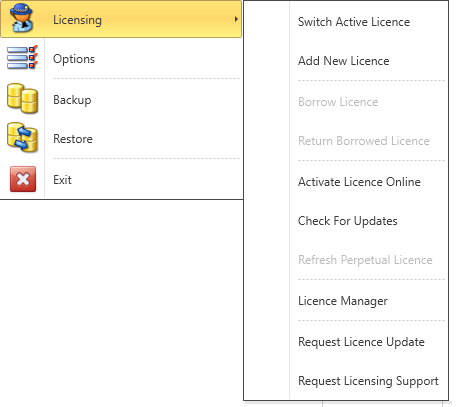
You can also select an option to manage your licences in the Licence Manager. Once the application is loaded, you can view your current licensing information from Help > About Geobank Mobile on the main menu. Licensing option are available on the File > Licensing menu:
If you are an administrator, or you have been instructed to do so by MICROMINE Licensing, you can create and update one or more licence configurations.
A licence configuration is a set of features that can be tied to a licence. The specification of different licence configurations means that different users may be allocated only the modules they need.
Licensing Options and Features:
- Borrow Licence (Network Licence Only)
- Borrow Licence (Network Licence Only)
- Activate a Licence Online
- Switch Active Licence
- Check for Updates