GPS Device
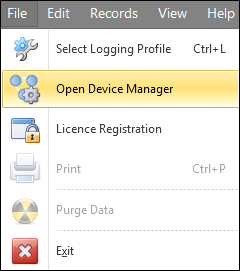
- Select File | Open Device Manager.
- Select a GPS device from the list, or add a new GPS device if one is not already configured.
New devices can be added by clicking on the Add button and selecting an option:
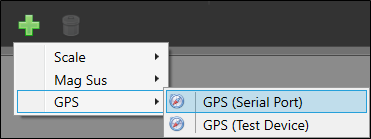
Devices can be removed by highlighting the device and clicking on the Trash Can.
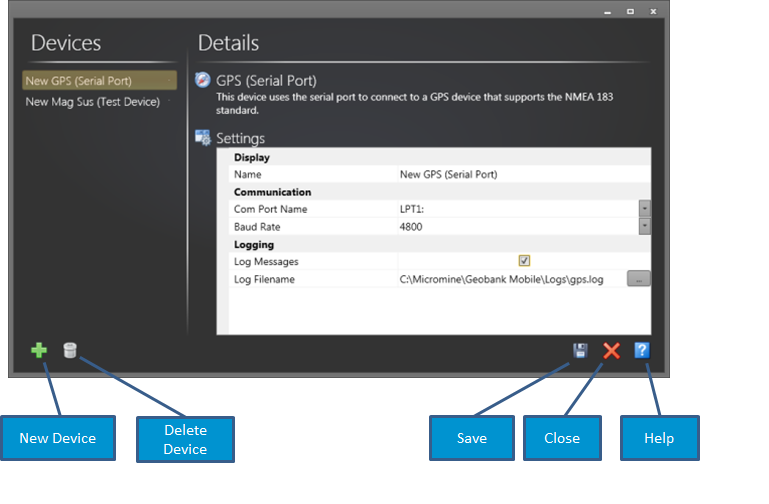
- Input the settings for your device.
Geobank Mobile can connect and receive data from devices that output in the format - NMEA – 0183. Common communication settings for this format are:
4800 baud, 8 data bits, 1 stop bit, and no parity.
Comprehensive testing has shown that the speed at which Geobank Mobile obtains a GPS fix, either on start-up or when capturing subsequent locations, does not significantly differ from the speed of a GPS fix in the native GPS application.
Since locks must be obtained on broadcasts from a sufficient number of satellites, the first GPS fix may take some time.
See: Device Support: GPS for more information.