Transfer a Licence
To import a local node-locked licence, that licence must first be transferred.
When a licence is transferred, an activation code is generated which can be used to activate the licence on another computer. Alternatively, a licence exchange file may be copied to another computer from the computer of the person who is transferring the licence. This file can then be selected and opened as part of an Import process.
To transfer a local licence:
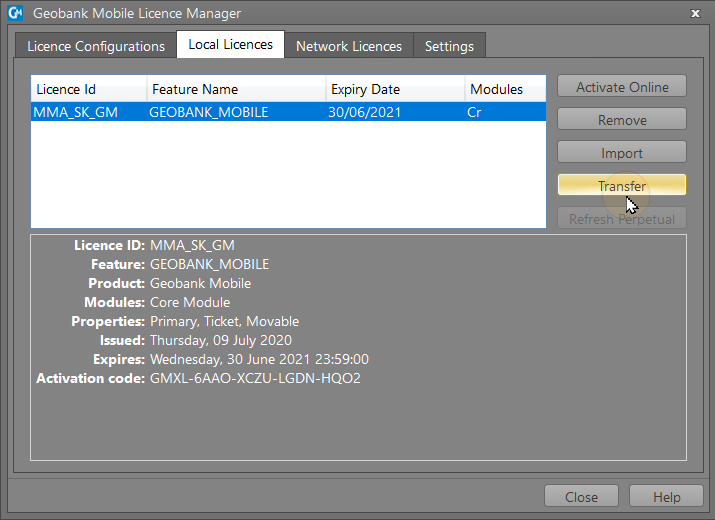
- On the Local Licences tab of the Licence Manager, select the licence you want to transfer and click the Transfer button:
- The wizard will guide you through the process of transferring a local licence to another computer:
- Click Next to continue. The process is very simple and takes less than one minute to finish.
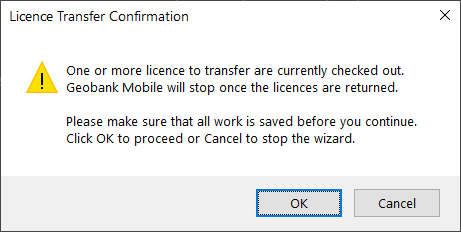
- Click OK to proceed with the transfer.
- Finally, click Finish to complete the transfer process.
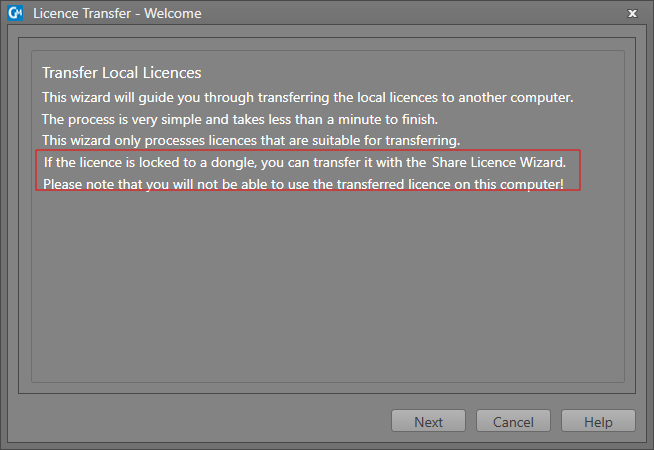
Please note that you will not be able to use the transferred licence on the current (source) computer.
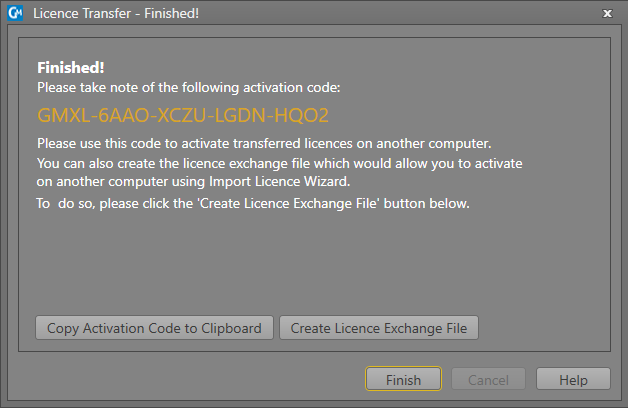
Copy Activation Code to Clipboard
If the transfer is successful, an activation code is provided which can be copied to the clipboard , Please use this code to activate the transferred licence on another computer. See: Activate a Licence Online
Create Licence Exchange File
You can also create a licence exchange file you can use to import the licence to another computer. See: Import a Licence